Python 异步代码案例 初级async 代码案例实现异步 认识异步代码 1 2 3 4 5 6 7 8 9 10 11 12 13 14 15 16 import asyncioasync def fetch_data (delay ):print ("Fetching data..." )await asyncio.sleep(delay)print ("Data fetched" )return {"data" :"Some data" }async def main ():print ("Start of main coroutine" )2 )await taskprint (f"Received result: {result} " )print ("End of main coroutine" )
代码解释:
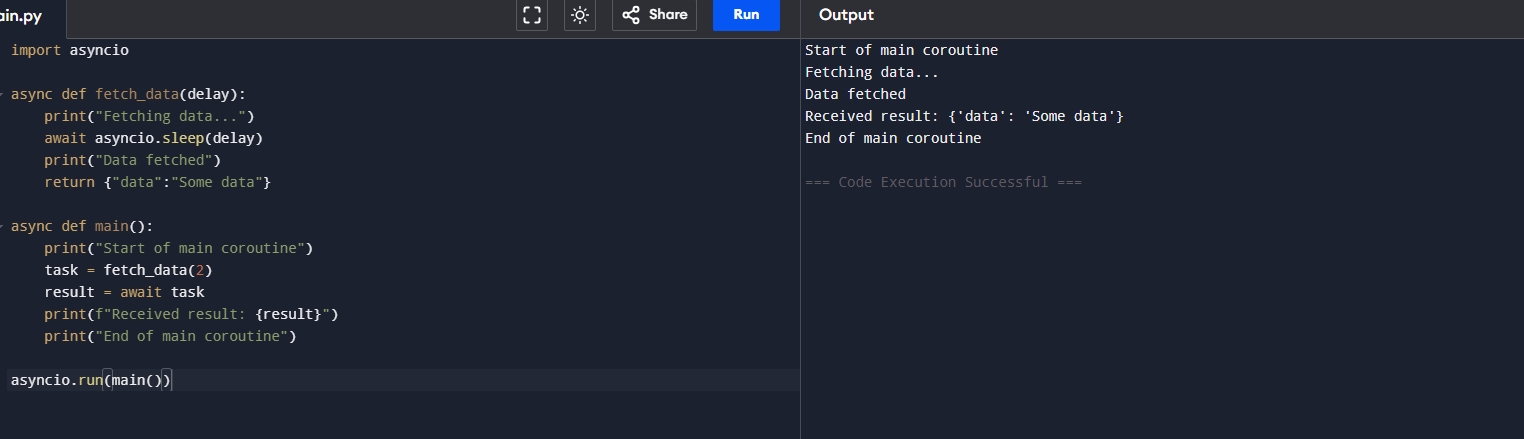
fetch_data 模拟一个网络下载的操作,首先异步等待了我们传入的值,然后模拟下载数据成功。
main 函数定义了开启异步,我们将异步返回的信息存为一个task,然后通过await然后获取值,然后打印出我们下载的信息。
运行结果:
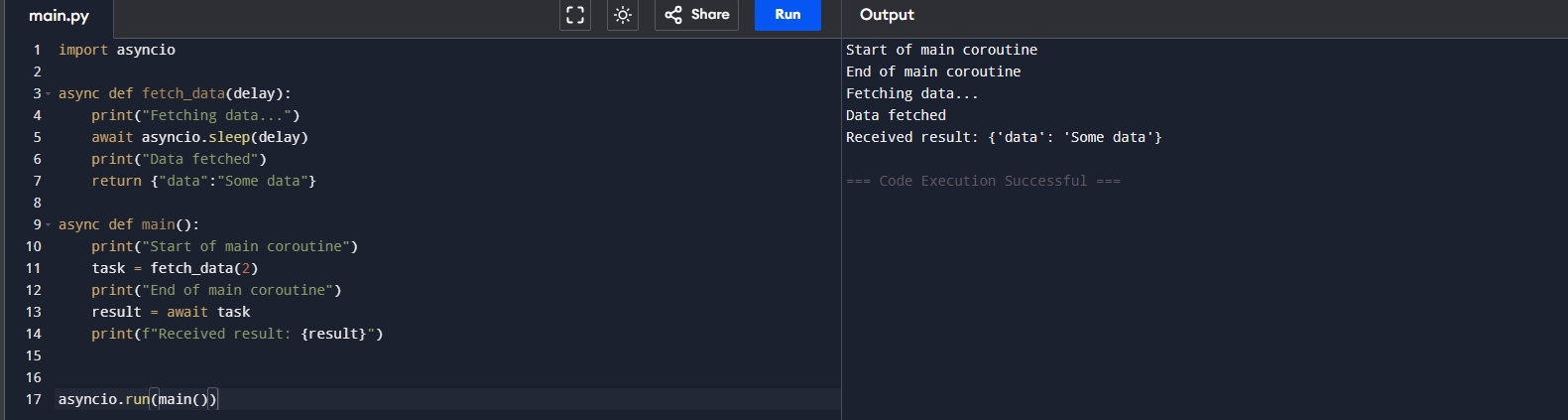
变换一下异步请求形态 1 2 3 4 5 6 7 8 9 10 11 12 13 14 15 16 17 import asyncioasync def fetch_data (delay ):print ("Fetching data..." )await asyncio.sleep(delay)print ("Data fetched" )return {"data" :"Some data" }async def main ():print ("Start of main coroutine" )2 )print ("End of main coroutine" )await taskprint (f"Received result: {result} " )
代码解释:
运行结果:
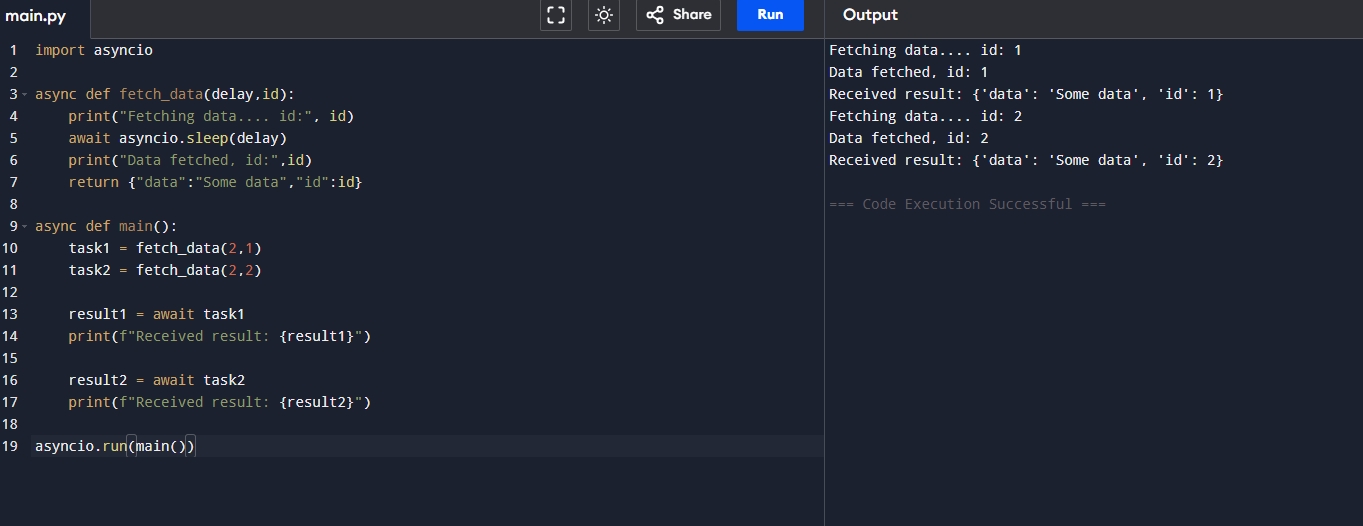
异步如果这么写效率还是低下! 1 2 3 4 5 6 7 8 9 10 11 12 13 14 15 16 17 18 19 import asyncioasync def fetch_data (delay,id ):print ("Fetching data.... id:" , id )await asyncio.sleep(delay)print ("Data fetched, id:" ,id )return {"data" :"Some data" ,"id" :id }async def main ():2 ,1 )2 ,2 )await task1print (f"Received result: {result1} " )await task2print (f"Received result: {result2} " )
代码解释:
运行结果:
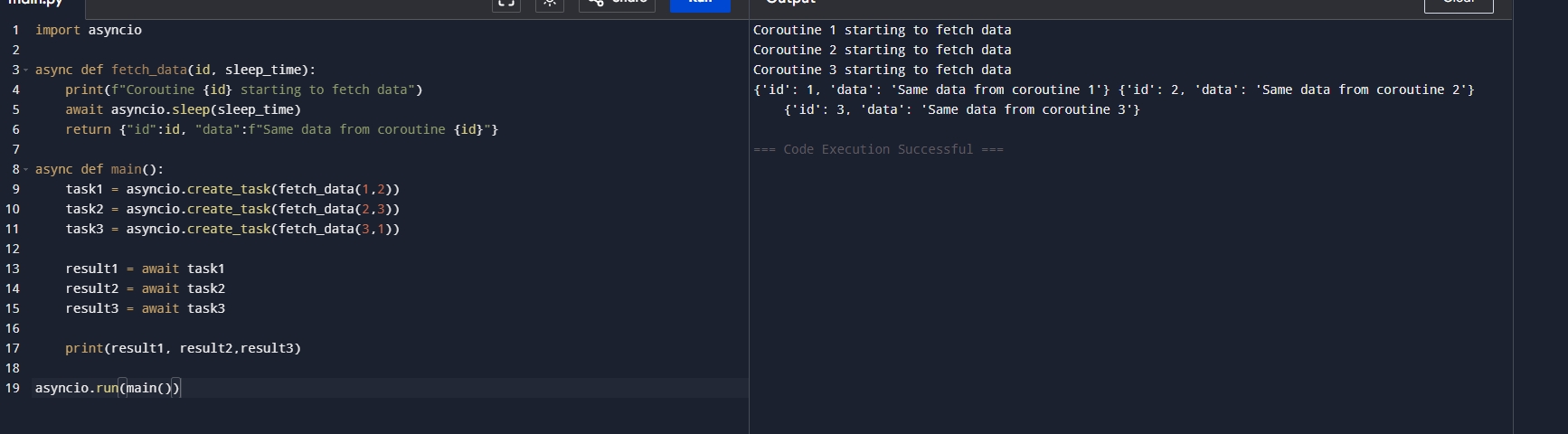
这样写异步效率嘎嘎的 1 2 3 4 5 6 7 8 9 10 11 12 13 14 15 16 17 18 19 import asyncioasync def fetch_data (id , sleep_timeprint (f"Coroutine {id } starting to fetch data" )await asyncio.sleep(sleep_time)return {"id" :id , "data" :f"Same data from coroutine {id } " }async def main ():1 ,2 ))2 ,3 ))3 ,1 ))await task1await task2await task3print (result1, result2,result3)
代码解释:task这个概念,也就是将我们的任务加入到task中这样就会做到异步执行多个代码,提高我们的运行效率!只需要3秒即可完成所有的程序
运行结果:
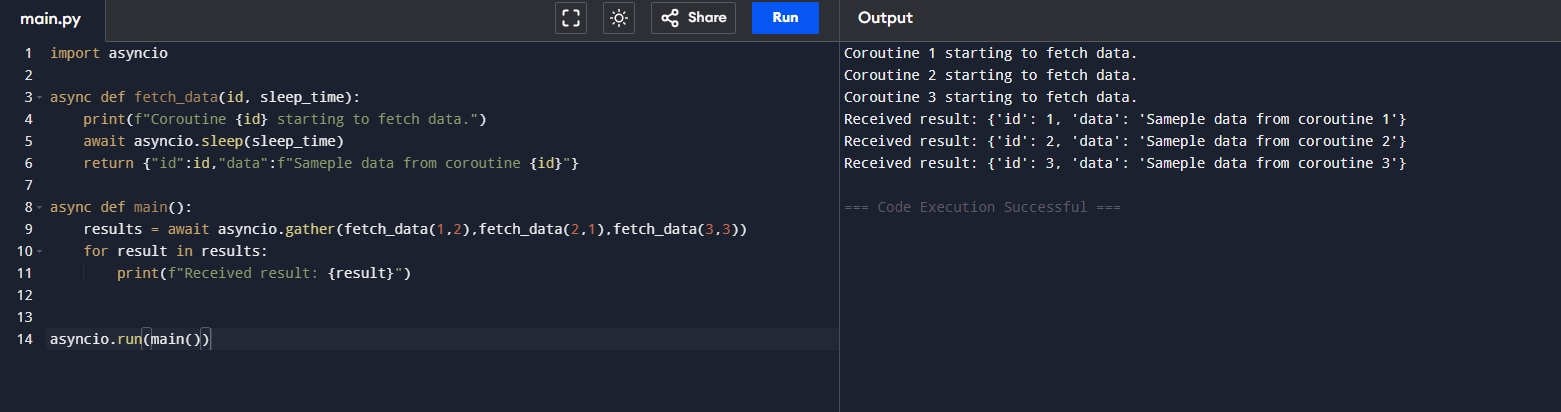
我想更加优雅的执行task 1 2 3 4 5 6 7 8 9 10 11 12 13 14 import asyncioasync def fetch_data (id , sleep_timeprint (f"Coroutine {id } starting to fetch data." )await asyncio.sleep(sleep_time)return {"id" :id ,"data" :f"Sameple data from coroutine {id } " }async def main ():await asyncio.gather(fetch_data(1 ,2 ),fetch_data(2 ,1 ),fetch_data(3 ,3 ))for result in results:print (f"Received result: {result} " )
代码解释:gather 将所有的返回值作为一个对象存储起来,而不需要每个去创建一个task来实现,但是gather并不会处理在程序中出现的错误,
运行结果:
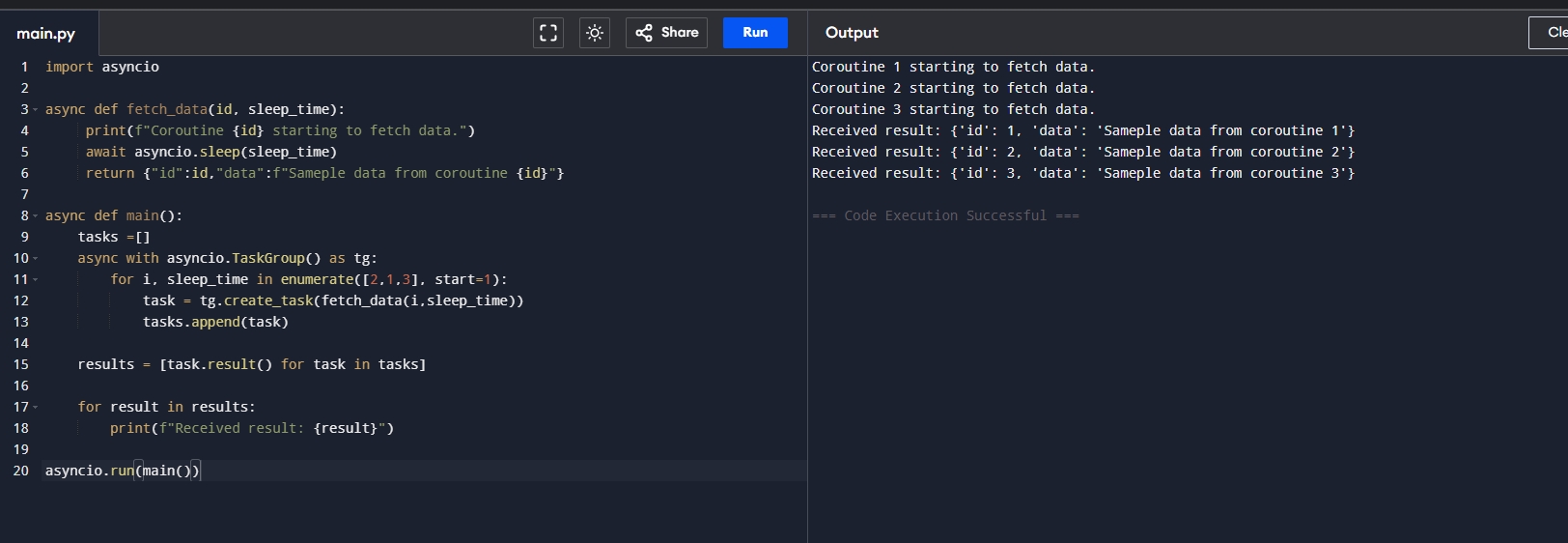
出错后怎么自动停止呢? 1 2 3 4 5 6 7 8 9 10 11 12 13 14 15 16 17 18 19 20 import asyncioasync def fetch_data (id , sleep_timeprint (f"Coroutine {id } starting to fetch data." )await asyncio.sleep(sleep_time)return {"id" :id ,"data" :f"Sameple data from coroutine {id } " }async def main ():async with asyncio.TaskGroup() as tg:for i, sleep_time in enumerate ([2 ,1 ,3 ], start=1 ):for task in tasks]for result in results:print (f"Received result: {result} " )
代码解释:
运行结果:
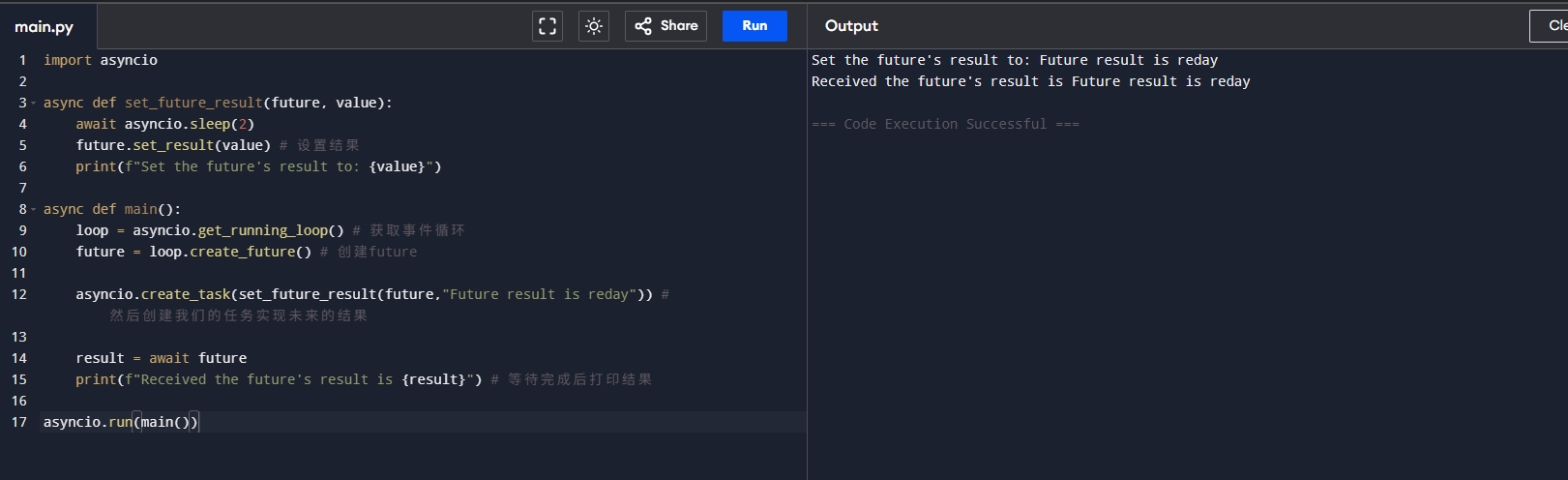
异步底层的逻辑 1 2 3 4 5 6 7 8 9 10 11 12 13 14 15 16 17 import asyncioasync def set_future_result (future, value ):await asyncio.sleep(2 )print (f"Set the future's result to: {value} " )async def main ():"Future result is reday" )) await futureprint (f"Received the future's result is {result} " )
代码解释:future实际上是未来的结果,但是你并不知道会在什么时候发生,我们在上面的代码里面就是创建了future,并且等待这个未来的结果
运行结果:
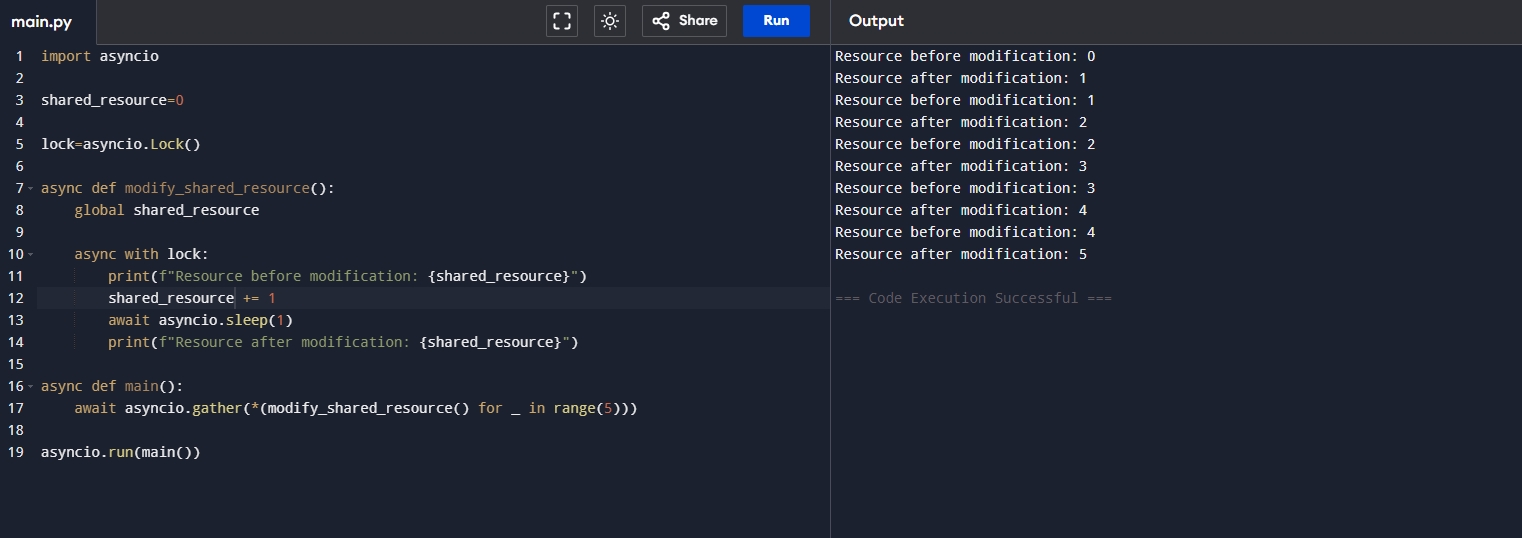
异步锁的实现 1 2 3 4 5 6 7 8 9 10 11 12 13 14 15 16 17 18 19 import asyncio0 async def modify_shared_resource ():global shared_resourceasync with lock:print (f"Resource before modification: {shared_resource} " )1 await asyncio.sleep(1 )print (f"Resource after modification: {shared_resource} " )async def main ():await asyncio.gather(*(modify_shared_resource() for _ in range (5 )))
代码解释:
运行结果:
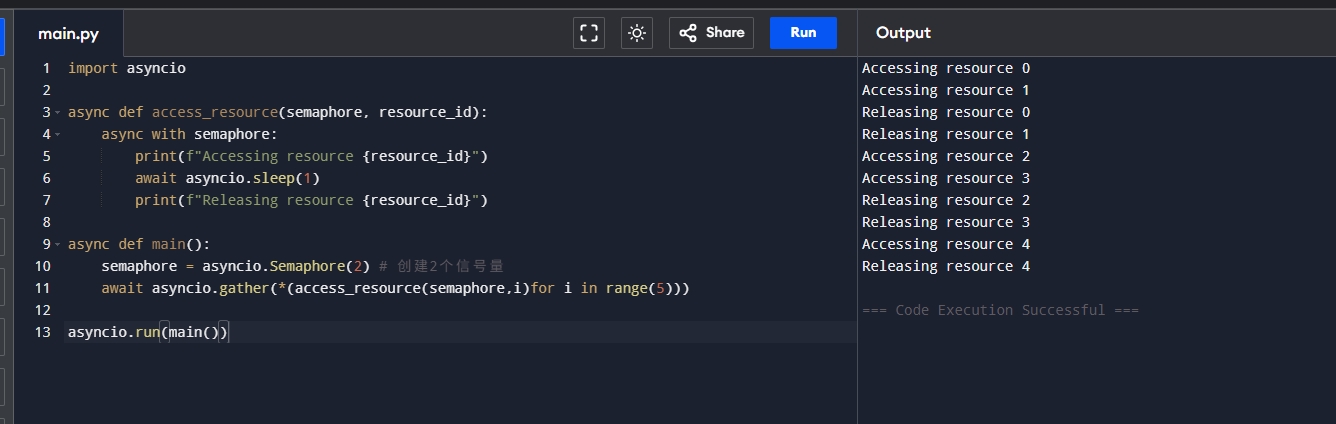
异步信号量的概念 1 2 3 4 5 6 7 8 9 10 11 12 13 14 import asyncioasync def access_resource (semaphore, resource_id ):async with semaphore:print (f"Accessing resource {resource_id} " )await asyncio.sleep(1 )print (f"Releasing resource {resource_id} " )async def main ():2 ) await asyncio.gather(*(access_resource(semaphore,i)for i in range (5 )))
代码解释:
运行结果:
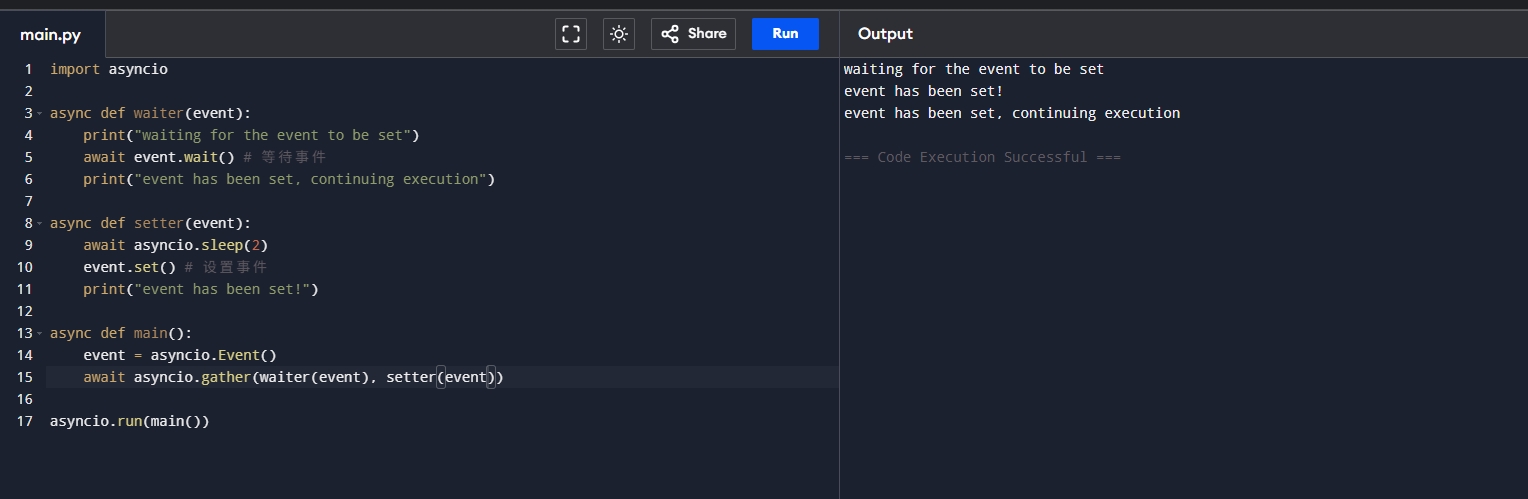
异步event实现模拟同步 1 2 3 4 5 6 7 8 9 10 11 12 13 14 15 16 17 import asyncioasync def waiter (event ):print ("waiting for the event to be set" )await event.wait() print ("event has been set, continuing execution" )async def setter (event ):await asyncio.sleep(2 )set () print ("event has been set!" )async def main ():await asyncio.gather(waiter(event), setter(event))
代码解释Event, 它可以是我们模拟同步的情况,在异步中可能需要暂时的同步的时候可以使用,一旦我们设置了事件,那么我们必须等待事件完成后,才可以继续执行下一步!
运行结果:
总结 当我们以正确的方式打开异步请求我们的效率就会提升很多!